The JuliaHub 26.1 release marks a significant milestone in our mission to provide a robust, enterprise-grade platform for technical computing. This update is centered on maturing our core infrastructure by introducing state-preserving workstation management, surgical observability for distributed workloads, and comprehensive administrative self-service tools.
Our philosophy for this release was "usability first." We wanted to give researchers and engineers the tools they need to operate at scale with minimal friction, while simultaneously hardening the platform's underlying security architecture to meet the highest enterprise standards.
In This Update (TL;DR)
Windows Workstation Hibernation: Pause and resume interactive sessions with full state preservation, allowing for significant compute cost optimization, ease of use and productivity gain on complex interactive tasks spanning multiple days.
Distributed Log Filtering: Automatic Pod ID metadata for distributed jobs, enabling precise debugging of individual worker nodes directly in the UI.
Self-Service Compliance (IQOQ): Integrated functionality that generates on-demand PDF qualification reports for teams in regulated industries.
Administrative Governance: New self-service tools for managing application versions, tracking token lifecycles, and managing organization-wide project permissions.
Clean Job Management: We’ve updated the Project Jobs Tracker to automatically hide non-relevant sessions, providing you with a dedicated and uncluttered view of your own IDE and deployment jobs.
Deep Dive: Windows Workstation Hibernation
The Challenge: For engineers running long-running simulations or complex interactive analyses on Windows workstations, the cost of "idle time" was a constant trade-off. Previously, the only way to stop compute charges was to fully shut down the machine. However, this meant losing the entire memory state, running processes, and open data files—forcing a time-consuming manual environment setup every time work resumed.
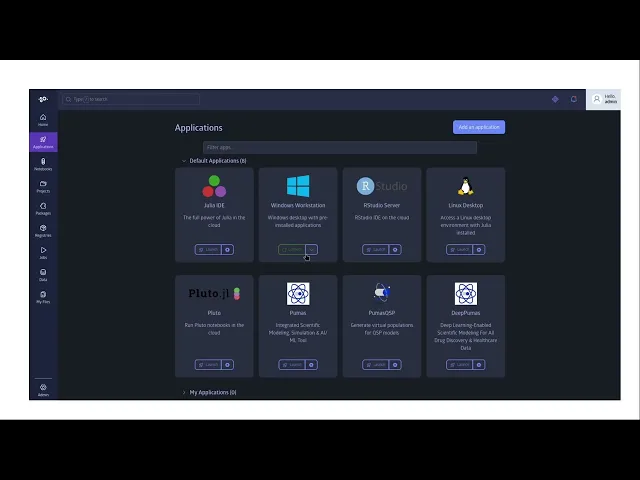
Our Solution: In 26.1, Windows Workstations now support full hibernation. Instead of a hard shutdown, users can "suspend" their sessions. This process saves the entire memory state to disk and pauses the VM instance. When you resume, the workstation returns exactly to its previous state—all applications, IDE configurations, and unsaved variables are right where you left them.
Why It Matters: Hibernation fundamentally changes the "pause-resume" workflow for technical teams. It eliminates the "boot-up tax" that kills productivity and allows for a 50% or more reduction in compute costs for interactive workloads, as you no longer pay for active compute during nights or weekends without sacrificing your work-in-progress.
Deep Dive: Distributed Log Filtering and Structured Exports
The Challenge: Debugging a multi-node distributed job has historically been a "needle in a haystack" problem. Logs from the main container and all worker pods were merged into a single, chaotic stream. Without a reliable way to identify which log line belonged to which specific worker, pinpointing a localized error or a performance bottleneck on a specific node was extremely difficult.
Our Solution: JuliaHub now automatically injects Pod ID metadata into the log stream for all distributed jobs. Beyond real-time filtering in the UI, we have introduced structured log exports. Users can now download a .tar archive of their job logs, where the system automatically partitions the output into individual files for each worker pod.
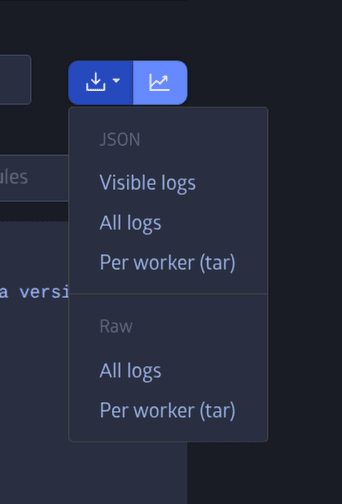
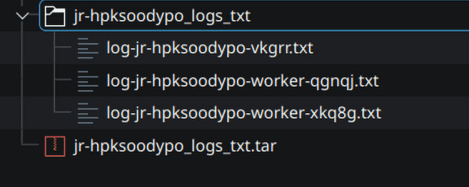
Why It Matters: This infrastructure change transforms how teams handle post-mortem analysis. Researchers can now isolate a failing node instantly in the browser or export an organized record of a 100-node run for offline debugging. It turns a "wall of text" into a structured, actionable diagnostic tool, eliminating the need to manually parse massive, interleaved log files.
Deep Dive: Automated IQOQ Qualification Reporting
The Challenge: For our customers in highly regulated sectors like pharmaceuticals and finance, Installation Qualification and Operational Qualification (IQOQ) are not optional—they are a prerequisite for operation. Historically, this was a manual, high-touch process requiring heavy coordination with infrastructure teams, often taking days to produce the necessary compliance documentation.
Our Solution: We have transformed IQOQ into a self-service reality with a new, runnable IQOQ Qualification functionality. Customer Administrators can launch these tests directly from the JuliaHub UI to trigger a suite of automated test scripts. The system automatically detects the specific environment configuration, runs the relevant checks, and generates a comprehensive PDF report complete with timestamped screenshots.

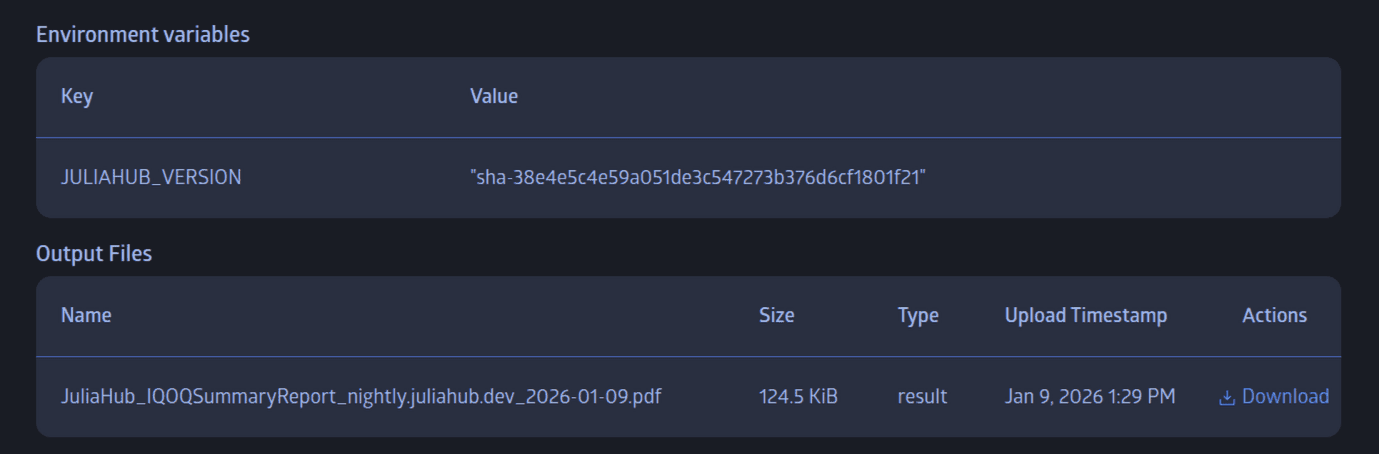
Why It Matters: This shifts the burden of proof from a manual service request to an on-demand button click. Customer Administrators can now verify system integrity after every upgrade or configuration change in minutes rather than days. It provides the documented, audit-ready proof of platform health exactly when your compliance team needs it.
Deep Dive: Fine-Grained Application Version Management
The Challenge: Large organizations often struggle to balance the need for new features with the necessity of a stable, compliant environment. Customer Administrators previously lacked a simple way to curate which software versions were available to their users, making organization-wide rollouts and beta testing complex and coordinated efforts.
Our Solution: We have introduced a dedicated Application Version Management (AVM) interface for Instance and Customer Administrators. This provides a centralized hub to control exactly which versions of applications, such as the Julia IDE, are visible to users. Admins can now toggle Staging Access to restrict new versions to a specific test group and enable Hot Standby to pre-cache commonly used images on worker nodes for near-instant startup.
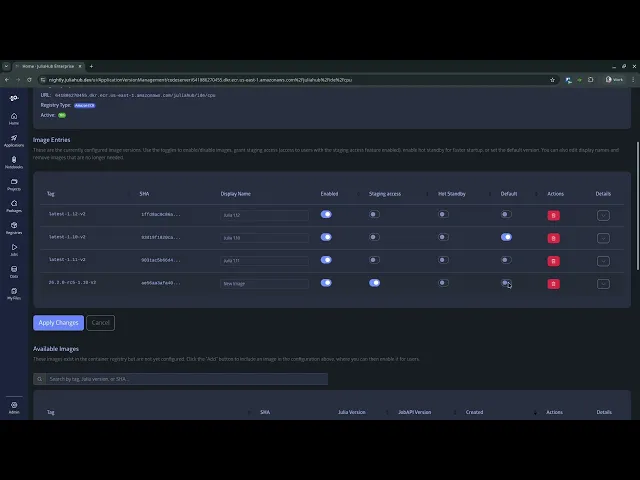
Why It Matters: This feature enables a "test-then-trust" workflow. An administrator can add a new hosted application version, enable Staging Access for a few power users to validate the environment, and once confirmed, set it as the "Default" for the entire organization. It ensures that teams have access to the latest tools while maintaining the guardrails necessary for institutional compliance and stability.
Empowering Administrators and Governance
Beyond application management, this release introduces several tools that give administrators more autonomy:
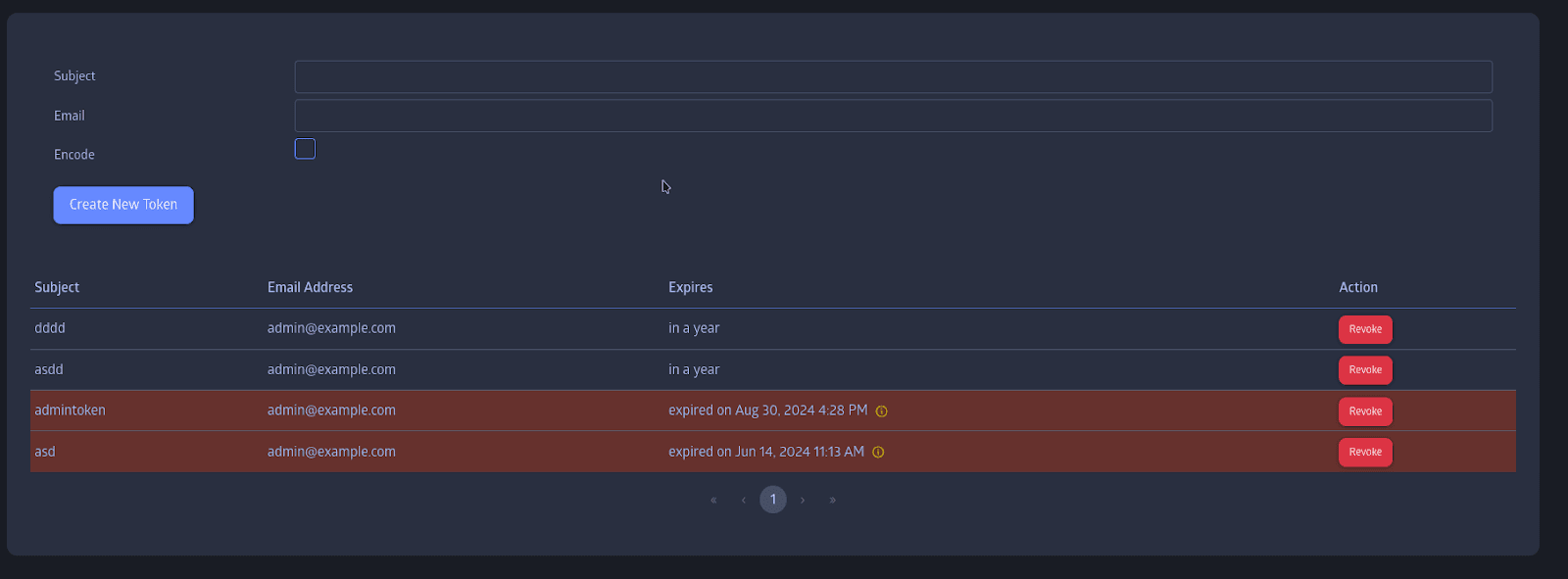
Token Lifecycle Visibility: To prevent "silent failures" in CI/CD pipelines, Customer Administrators can now view expiration dates for long-term API tokens and GitHub Personal Access Tokens (PATs) directly in the dashboard. Metadata such as creation dates and scopes are now clearly surfaced for better security auditing.
Universal Project Governance: Customer Administrators now have Owner-level access to all projects within their organization. This allows for organization-wide governance—enabling admins to clone, archive, or delete projects across different teams to maintain data retention and security policies.
Audit Transparency: We have resolved the permission hurdles that previously blocked Customer Administrators from exporting audit event logs. Compliance officers now have uninterrupted, self-service access to the platform's complete activity history.
Security and Privacy Refinements
In addition to our new feature set, 26.1 includes a significant hardening of the platform's security architecture:
Proactive SQL Injection Prevention:
Following a comprehensive platform-wide security audit, we detected some unescaped string concatenation in queries related to search and HTTP header processing. We have replaced them all with parameterized queries effectively neutralizing SQL injection risks.
Clean Job Management and Workspace Isolation:
We have updated the Project Jobs Tracker to automatically hide non-relevant sessions, providing a dedicated and uncluttered view of your own IDE and deployment jobs. By filtering out sessions belonging to other users, we have created a more focused workspace while maintaining strict privacy. Furthermore, we have enforced authorization checks to ensure that actions like stopping, extending, or re-running a job are exclusively restricted to the job owner, protecting research environments from unauthorized interference.
Looking Ahead
The 26.1 release reflects our ongoing focus on making JuliaHub a "self-managed" platform for the modern enterprise. As we look toward future updates, we are continuing to invest in deeper administrative controls, expanded compliance tooling, and enhanced performance monitoring for large-scale distributed workloads. Our goal remains clear: enabling your teams to move faster and more securely by putting the power of platform management directly in your hands.
Get Involved!
Log in to JuliaHub to check out all these new features today!
Read our documentation to learn more about how to use these tools.
Join the discussion on our community forum and let us know what you think.