
JuliaHub Projects give every contributor a dedicated workspace to build without stepping on anyone else’s code. In 26.4, we’re bringing core version-control workflows directly into the web UI—giving your team full project history, independent branching, and structured peer reviews before changes go live.
In This Update (TL;DR)
Project History & Branching: View commit history and switch upstream branches directly in the UI. Workspaces now support multi-branching decoupled from upstream.
Peer Reviews: Review publish requests individually with diff navigation and explicit approve/deny decisions.
First-Class Deployments: Mark Projects as "deployable" from setup, track live status in a dedicated tab, and run services isolated from batch jobs.
Custom API Access Control: Override shipped default API rules per site with precedence layers, full change history, and audit logging.
Global CVE Roll-up: A single-pane-of-glass view for security advisories across all hosted package registries.
Zero-Downtime Settings: Credential, PAT, and registry updates apply instantly without requiring backend restarts.
Local DyadRegistry Hosting: Self-managed installs can host the DyadRegistry locally via Helm to support air-gapped environments.
Commit history and branches in the Project view
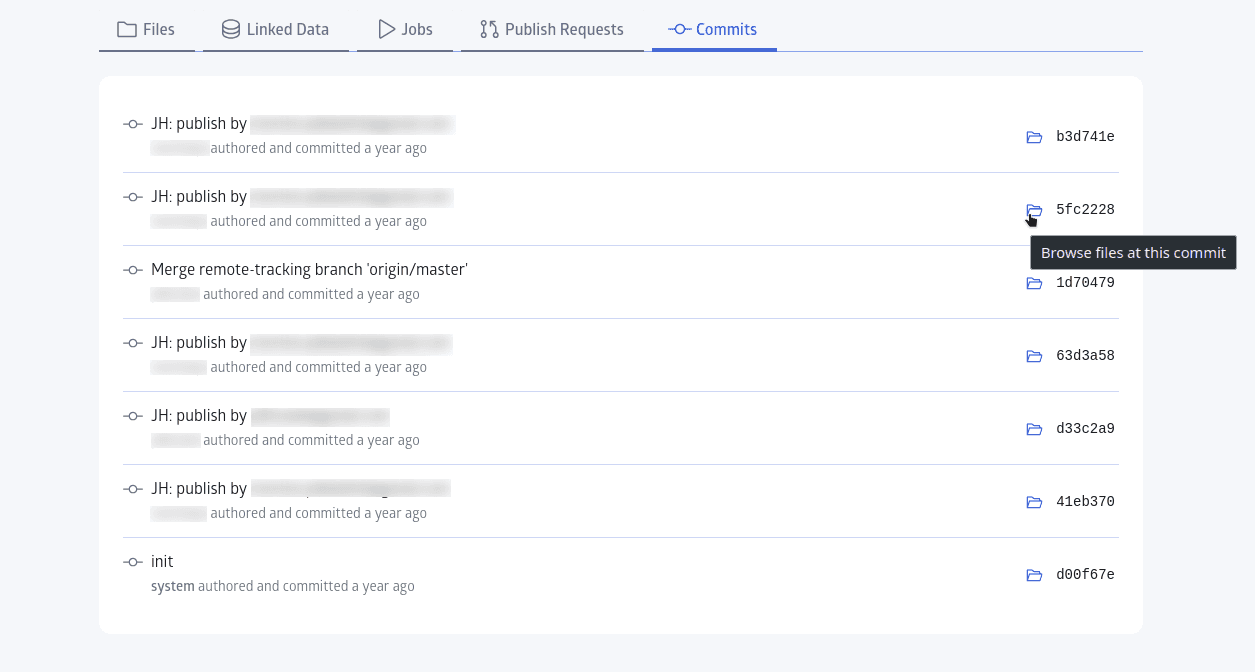
A Project page now includes a commit history listing with an upstream branch selector. You can see what has landed and browse the Project’s state at an earlier commit without leaving JuliaHub.
Alongside history, Projects now support independent workspace branching. Each contributor can create and work across multiple branches—collaborating flexibly without being restricted to a single implicit per-user branch.
Note on Behavior: While a Project workspace is on a custom branch, actions like Start job, launch, and Deploy are intentionally disabled. Keeping branch work and execution separate ensures jobs never run against a workspace that has diverged from upstream.
Publish requests you can actually review
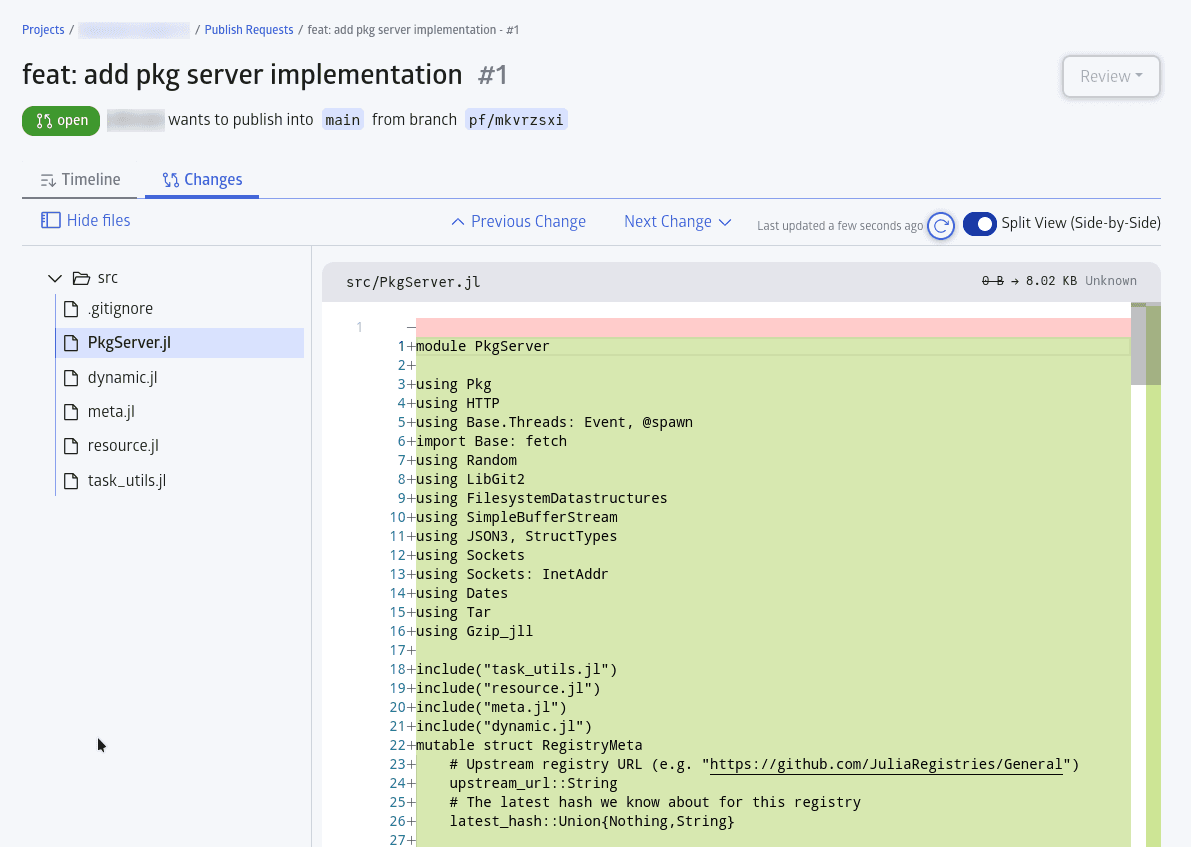
Publishing a Project merges contributor work back onto main, which is why it deserves a proper review step. In 26.4, publish requests are reviewed, approved, or denied individually—ending the days of every pending change blindly merging at once when someone clicks Publish.
The collaboration view tracks open requests and lets reviewers navigate diffs with Prev/Next controls. For teams whose Projects feed shared resources—a dataset directory, a deployed service, or an internal package—this turns publishing from an act of trust into something a second person signs off on.
Note: The review flow lives exclusively in the web console; there is no jh CLI command for approving requests.

Deployments become a Project mode, not a batch job
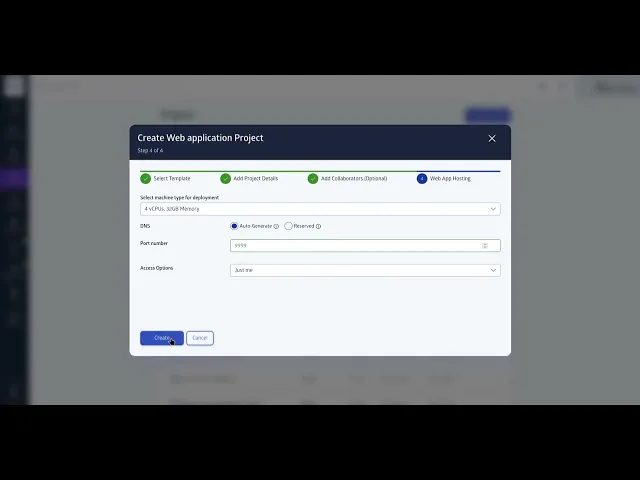
Running a long-lived service out of a Project used to mean bending the batch-job machinery around it. Now a Project is marked deployable with a checkbox on the first page of the create wizard, gets a Deployment tab showing current deployment status, and appears in a new top-level Deployments list that is separate from the Jobs list and carries a count of active deployments. The wizard’s deployment step also asks for a machine type directly instead of offering preset plans, so the compute you are choosing is the compute you get.
The two modes are mutually exclusive by design: a deployable Project no longer exposes batch job actions, and a batch job Project rejects deployment submissions. An existing Project can be converted either way from Manage → Edit Metadata, provided nothing is running at the time — so you will need to stop or wait out active jobs before flipping a Project to deployable, and terminate a live deployment before flipping it back.
If you start from the Web application template, the Project comes wired for HTTP.jl, and JuliaHub always starts a deployment by running bin/main.jl. Three details matter when you write that file:
Deployments that are paused and later resumed will now reliably reconnect to their input files without interruption.
API Access Control: override the shipped defaults per site
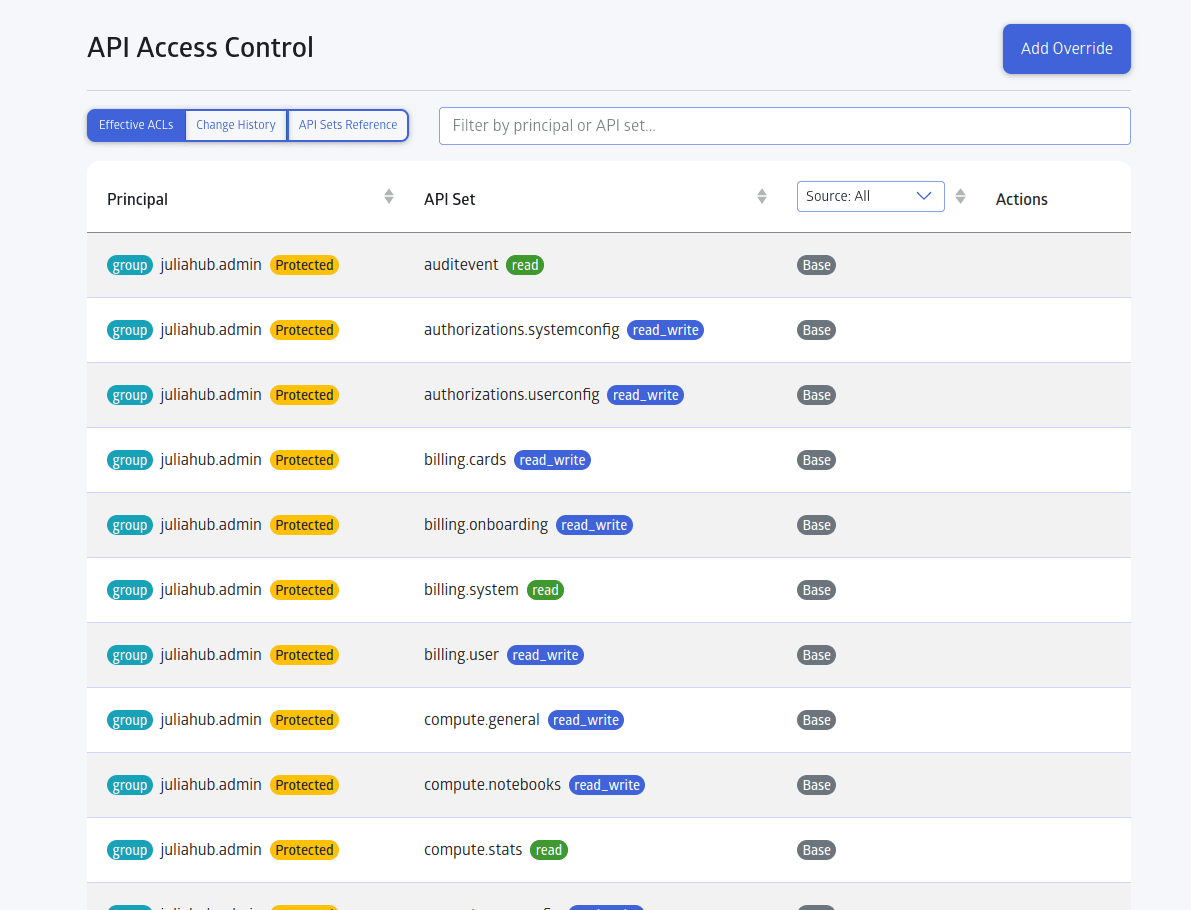
The Admin sidebar now includes an API Access Control panel. Permissions are defined by combining three elements:
API Set: A named group of endpoints (e.g.,
billing.cardsorpackage.syncstatus).Principal: Target group (
juliahub.user), individual user, oranon(unauthenticated).Access Level:
read,write, orread_write.
System default rules appear as Base and cannot be edited directly. Custom overrides appear as Site rules and take priority. When a Base rule is overridden, the original row remains visible and badged so factory defaults are never hidden.
An Effective ACLs view shows base and site rules together as the access actually in force, and a Change History view lists every override ever added or removed, including inactive ones.
Two constraints to plan around:
Admin Protection: The
juliahub.admingroup is permanently protected and cannot be edited or overridden—preventing accidental administrative lockouts.Policy Engine Caching: Saved changes take up to 5 minutes to propagate across the policy engine cache. Wait before re-testing if a rule doesn't apply immediately.
All changes generate audit trails in two locations: the panel's internal Change History, and platform logs under Admin → Audit Events (tagged as set_api_acl and delete_api_acl). Requires Customer Admin role on Team or Enterprise plans.
A CVE feed across every registry you host
JuliaHub 26.3 added Trivy-based vulnerability scanning: on demand for a Project, and automatically for packages as they sync. That told you about one Project or one package at a time. 26.4 adds the roll-up — a Global CVE listing of every security advisory reported against package registries, sorted by date, with a dedicated detail page for each advisory.
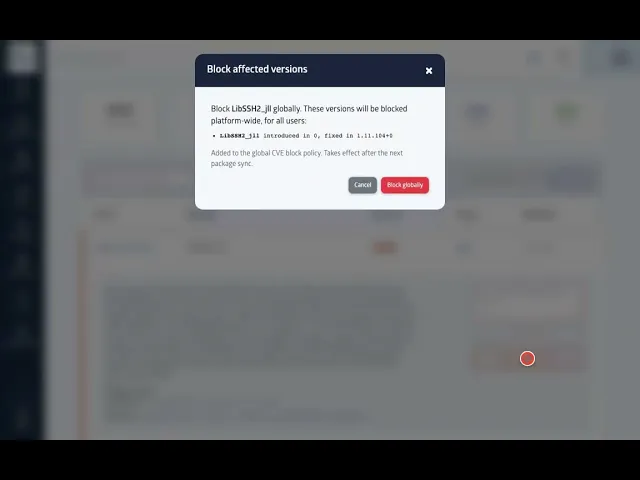
For anyone who has to answer “are we exposed to this one” against a compliance clock, that replaces walking each registry separately with one view to check.
The roll-up view itself is console-only. Scanning is not: jh covers the per-package and per-manifest cases, and those are the two you would script against.
Fewer restarts, faster registry operations
Scheduling a maintenance window just to update a Personal Access Token or add a GitHub App is officially a thing of the past. Credential and registry updates now take effect instantly—no backend restarts required.
Under the hood, 26.4 also brings significant performance gains for self-managed instances:
Actionable Auth Errors: If a PAT or GitHub App lacks required permissions during registry setup, JuliaHub now surfaces explicit error details instead of a generic "download failed" message.
Automatic SSO Housekeeping: Inactive SSO groups with zero assigned users are automatically pruned on user login.
Faster Package Search: A new memory-efficient search indexer is now active by default across all instances.
Database Query Scaling: The package activity table is now partitioned, keeping recent telemetry fast for analytics while archiving older logs cleanly.
Self-managed installs can host the DyadRegistry locally
Enterprise and self-managed deployments can now host the DyadRegistry locally by enabling a flag in the Helm chart. This proxies Dyad package operations and juliabin channels internally, allowing package authentication to run through your local instance rather than public JuliaHub infrastructure.
This provides full registry functionality for air-gapped or egress-restricted environments without external network dependencies.
Looking ahead
Every feature in 26.4 was built to make teamwork on JuliaHub feel easier, safer, and more enjoyable. We’re excited to keep expanding these capabilities and bringing you even better tools to collaborate and ship great work with confidence.
For full release notes, see the JuliaHub release notes.