

Introduction: A Platform Built for the Enterprise
At JuliaHub, we are constantly evolving to meet the needs of complex, large-scale engineering and data science organizations. Release 25.10 is a milestone update that bridges the gap between interactive exploration and production-grade reliability.
Whether you are a researcher needing to scale a simulation from your IDE to a cluster, an admin standardizing Windows environments for a team, or an enterprise user connecting to corporate data stores, this release brings powerful new capabilities to your workflow.
In This Update (TL;DR):
Project Batch Jobs: Seamlessly launch batch jobs directly from your Project environment.
Custom Windows Workstation Images: Admins can now capture and deploy standardized Windows environments with pre-installed software.
SharePoint & OneDrive Integration: Native, secure import of datasets from Microsoft’s ecosystem.
GitHub Enterprise Server Support: Full support for self-hosted GitHub instances for registries and packages.
Enterprise Governance: Package Policies are now out of Beta, and the Audit interface has been completely modernized.
Deep Dive: Seamlessly Scale with Project Batch Jobs
The Challenge: Moving from interactive exploration in a Project to running heavy batch workloads often involved friction. You previously had to manually replicate environments, ensure files were available, or set up separate job scripts, breaking the flow between "developing" and "running."
Our Solution: You can now run batch jobs directly from within your Project. JuliaHub automatically activates your Project's environment (using your Project.toml and Manifest.toml) and makes your project's module immediately available to the job. You can define reusable job specifications—such as "Large Compute" or "8-Node Cluster"—and launch them directly from the Project dashboard.
Why It Matters: This unifies your workflow. Develop your code in the IDE, then immediately scale it up to a cluster without changing context or reconfiguring environments. Plus, job outputs can be easily saved back into your Project's storage with a configurable output directory, keeping your results organized where they belong.
Deep Dive: Standardize Workflows with Windows Workstation Images
The Challenge: Setting up a cloud workstation can be tedious. If your team relies on specialized software—like specific compilers, licensed engineering tools, or domain-specific libraries—you often have to manually install and configure them every time you launch a new session. This wastes time and leads to "it works on my machine" inconsistencies across the team.
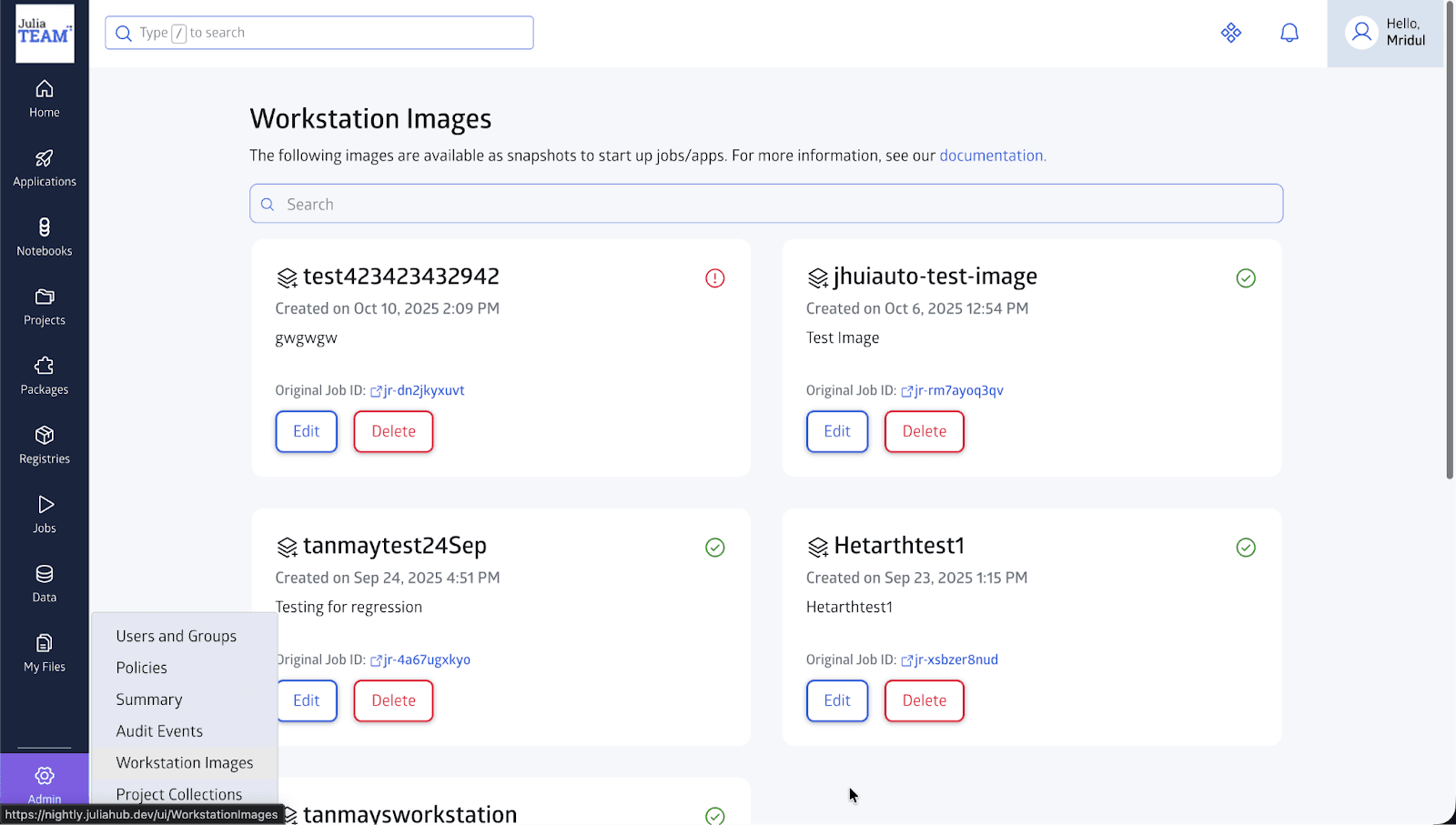
Our Solution: We are introducing Custom Windows Workstation Images. Administrators (Admins and Business Admins) can now launch a standard Windows Workstation, install all necessary applications and configurations once, and then "capture" that state as a reusable image.
Snapshot & Save: Simply click "Create Image" on a running workstation to save its entire state.
Granular Access: Share these custom images with specific users or groups, ensuring the right people have the right tools.
Iterative Updates: You can even launch a new workstation from a custom image, make updates, and save a new version.
Why It Matters: This brings "Infrastructure as Code" benefits to your interactive Windows environments. You can ensure every member of your team is working with an identical, pre-validated set of tools from the moment they log in, significantly reducing onboarding time and configuration errors.
Deep Dive: Unlocking Enterprise Data with SharePoint and OneDrive
The Challenge: Data often lives in silos. For many enterprise teams, critical datasets are stored in Microsoft SharePoint or OneDrive, making them difficult to pull directly into computational workflows on JuliaHub without manual downloading and re-uploading.
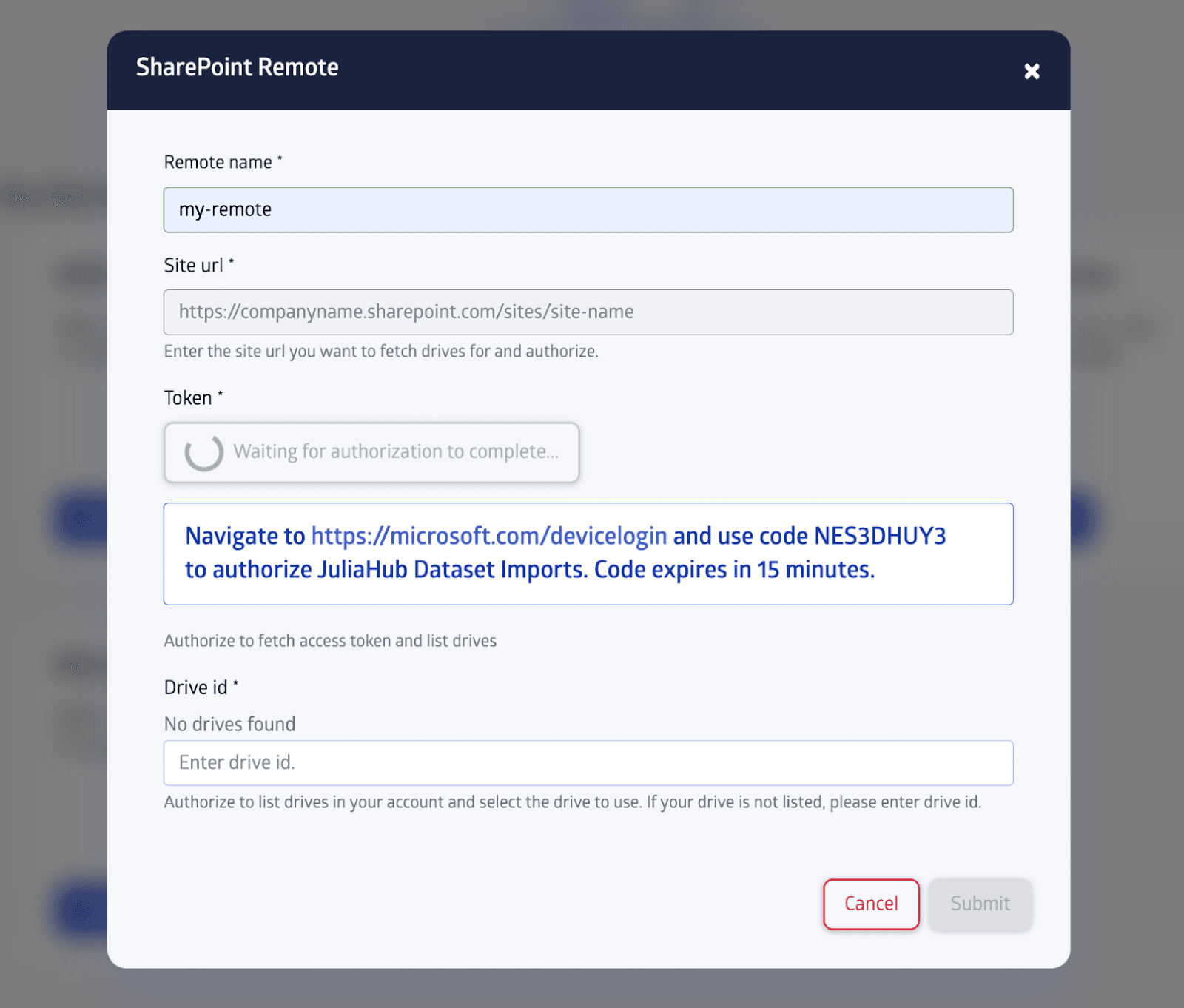
Our Solution: We have introduced a native, secure integration for SharePoint and OneDrive. You can now configure these services as "Remotes" directly within JuliaHub using a secure OAuth flow.
Authentication: It uses a secure device-code OAuth flow. You simply click "Authorize," and grant permission via Microsoft's standard login.
Flexibility: It supports both Personal and Business OneDrive accounts, as well as specific SharePoint sites via URL.
Discovery: Once authenticated, you can browse and list available drives directly in the JuliaHub UI to select exactly what you need to import.
Why It Matters: This bridges the gap between your corporate file storage and your high-performance computing environment. You can now seamlessly pull data from your organization's standard storage solutions directly into JuliaHub Datasets, ensuring your simulations and models are always running on the most up-to-date information.
Enterprise Governance & Security
For our enterprise customers, control and compliance are just as important as performance. Release 25.10 delivers significant upgrades in this area:
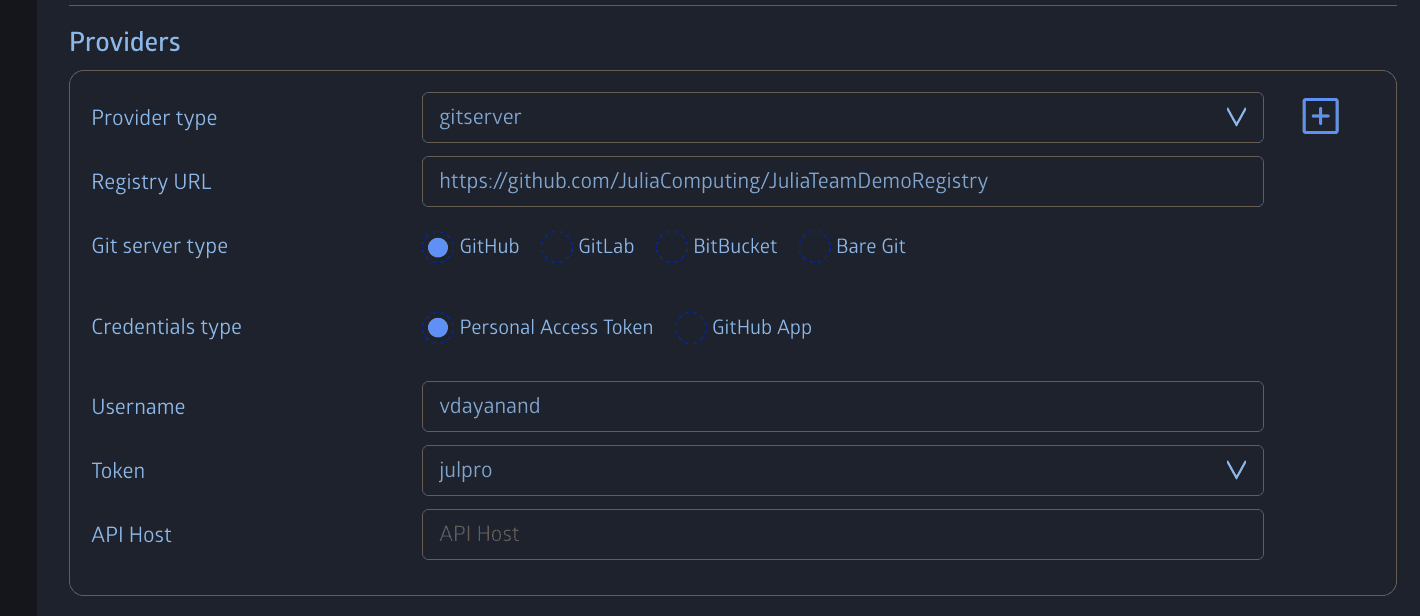
GitHub Enterprise Server Support: We now fully support GitHub Enterprise Server for self-managed installations. This allows you to host your Julia registries and packages on your own private, on-premise GitHub infrastructure while seamlessly integrating them with JuliaHub.
Package Policies Out of Beta: Our Package Policies feature, which allows admins to allow or deny specific packages across the organization, is now fully stable and out of beta. This provides a production-ready guardrail for compliance and security.
Enhanced Security Protocol: Julia Package registration now strictly requires HTTPS for GitHub, GitLab, and Bitbucket, ensuring secure connections by default.
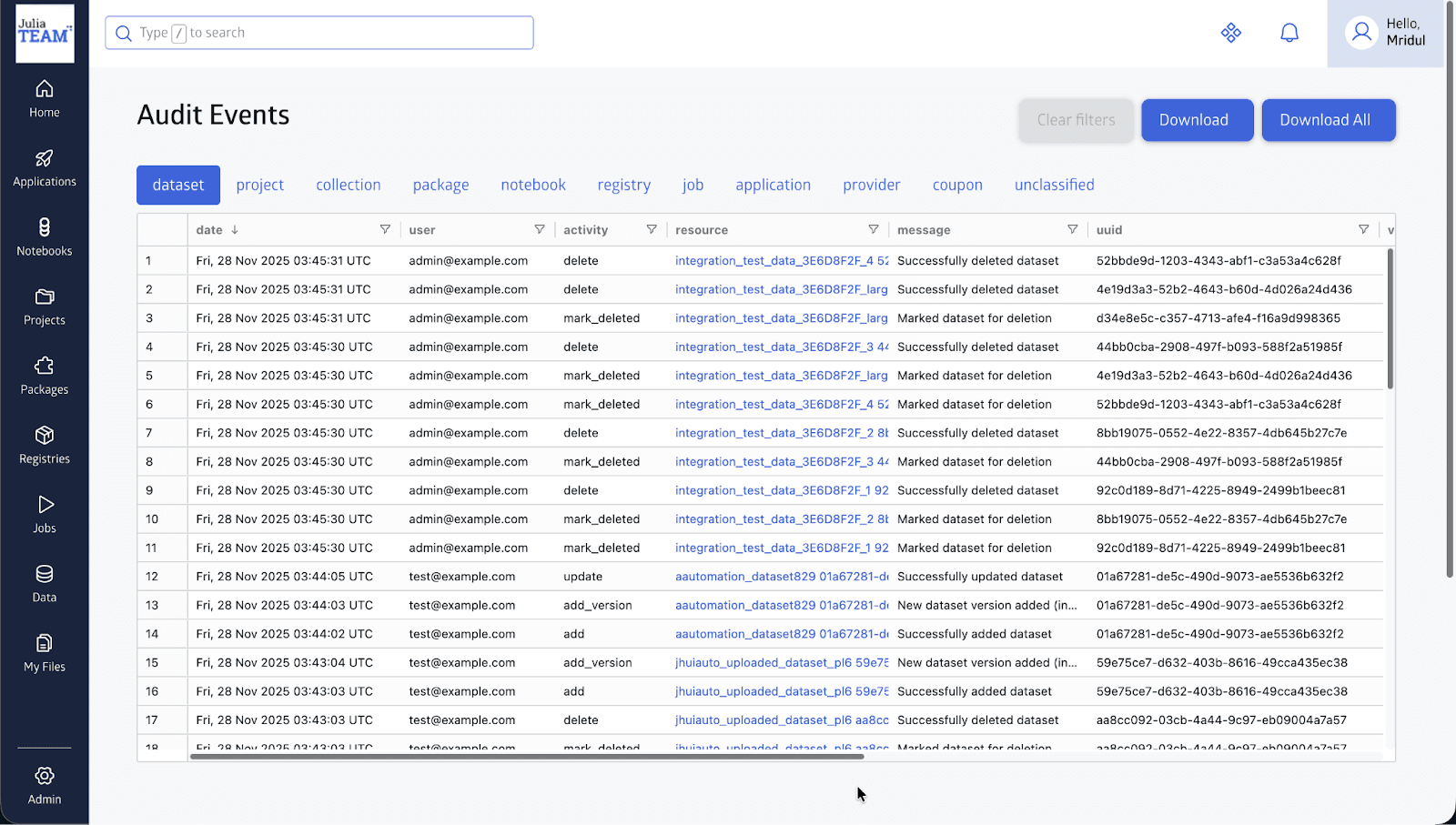
Modernized Audit Interface: The deprecated "Audit Logs" UI has been completely replaced by the new Audit Events interface. This new system offers better filtering, improved performance, and now tracks even more actions—including changes to private registry configurations—giving you a complete 360-degree view of platform activity.
Usability & Quality of Life Improvements
We are always listening to user feedback to smooth out the rough edges. Here are a few usability wins in this release:
Abort Dataset Uploads: Accidentally started uploading a massive 500GB file? You can now cancel dataset uploads in progress.
Resilient Uploads: If a dataset upload fails, it now remains visible in the UI, allowing you to easily re-attempt it without starting from scratch.
Version-less Datasets: You can now view and manage version-less datasets directly in the UI, making it easier to handle data that doesn't strictly adhere to semantic versioning.
Looking Ahead
Release 25.10 is about empowering teams to work together more effectively—whether that's through shared Windows images, unified data access, or scalable batch jobs. We are excited to see what you build with these new tools.
Get Involved!
Log in to JuliaHub to check out all these new features today!
Read our documentation to learn more about how to use these tools.
Join the discussion on our community forum and let us know what you think.