Dyad 3.0 made the agent capable. Dyad 3.1 makes it sharp. Running on the latest Claude Opus models, the agent now features configurable reasoning effort and holds far more context — enough to reason about a forty-component system in a single session. FMU generation gets a meaningful upgrade too: trimmed binaries are now the default path. The rest of the release brings the kind of developer-focused polish that makes day-to-day modeling smoother.
The HL-20 in Action
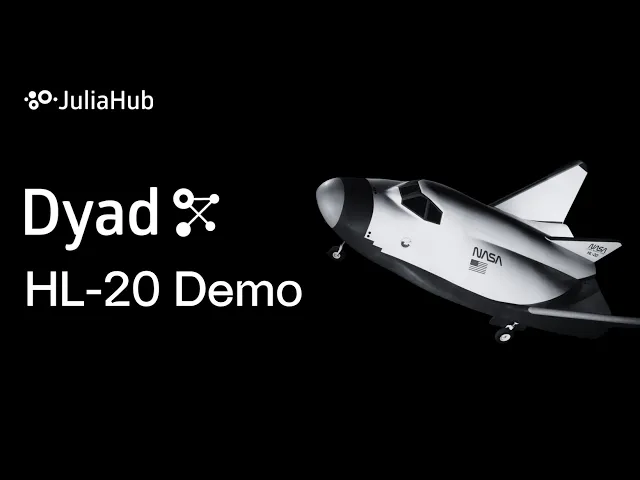
When we launched Dyad 3.0, the autonomous HL-20 build — the agent assembling a 40+ component aerospace model from natural language — showed what the system is capable of. Forty components is the scale where the agent pays off: it handles the wiring, layout, and validation, letting the engineer focus on the design decisions that matter.
The video above captures that workflow in action. Everything in the agent section below makes these large-scale tasks run faster and more reliably in 3.1.
A Smarter Agent
The Latest Opus Models, with Room to Think
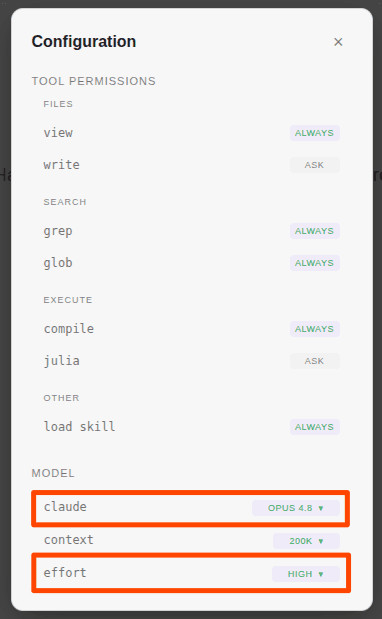
Claude Opus 4.7 and 4.8 are now in the model picker, with 4.8 as the default. Both ship in 200K and 1M context variants. Context limits are the constraint that bites hardest on complex models — a forty-component system, its standard-library references, and the running conversation history add up fast. With a 1M-token context, the entire model stays in working memory throughout a long session, so the agent reasons about the whole system rather than isolated slices.
You Set How Hard It Thinks
A new reasoning effort control lets you choose between low, medium, high, max, and xhigh. The trade-off is yours: a quick naming-convention check runs fine on low, while an autonomous build of a coupled multi-domain model is worth setting to max. Each model offers the effort levels it natively supports, and your selection carries across session resumes, so you configure it once.
Native Thinking Integration
The agent uses Anthropic's native adaptive thinking, so its reasoning is structured natively rather than parsed out of text blocks after the response. The new Thoughts card displays a word count, giving you a read on how much the model deliberated before acting.
Three workflow refinements round out the agent update:
Folder-level session permissions. Granting “allow for session” on a file outside the workspace now lets the agent read sibling files in that folder — ideal when a model references a local directory of data files. Writes remain strictly scoped to the exact path you approved.
Validated tool inputs. Tool calls are checked against each tool's schema before execution, keeping the agent's behavior predictable even during large batch automation.
System certificate authorities. The agent uses your machine's configured CA store, connecting without extra setup on networks behind corporate proxies or custom certificates.
Deploy-Ready FMUs by Default
In 3.0, trimmed FMU generation arrived as a headline capability. In 3.1, it becomes the default path: the Dyad Agent builds FMUs through the JuliaC static compilation pipeline automatically.
A JuliaC-trimmed FMU carries only the runtime your specific model exercises, keeping the binary compact enough to drop directly into downstream simulators with tight memory constraints. Generating one is now a single step — build it, get a deployable binary, with no manual pipeline selection.
Because some advanced modeling constructs can hit static compilation limits, PackageCompiler remains fully supported as an integrated fallback. If a model doesn't compile cleanly via JuliaC, the build system falls back automatically, ensuring a working build path for every model.
Components That Describe Themselves
A standard library — or any library a team grows internally — fills up with components that play different roles. Some you build with directly; others are examples to study, partial templates to extend, or regression tests.
Dyad 3.1 makes these roles visible in the project tree:
Qualifier icons. Components marked example, partial, or test get dedicated icons, making their role obvious at a glance.
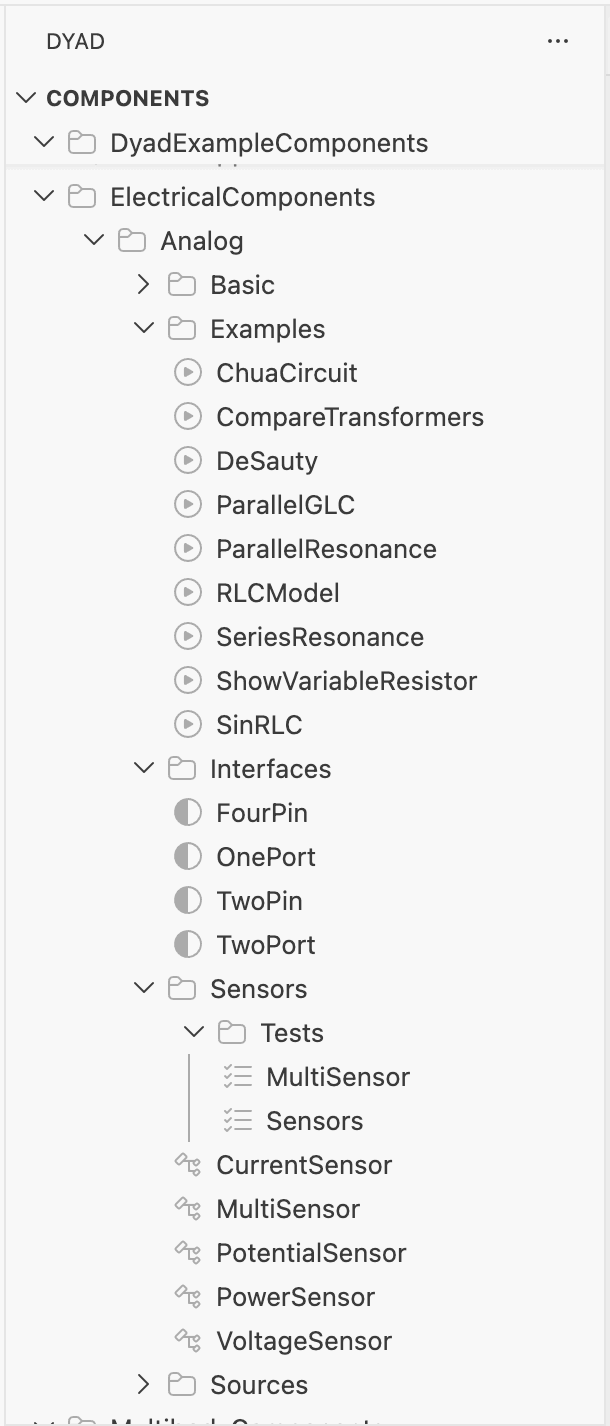
Smart analysis runs. Partial templates stay available as building blocks, while Run Analysis targets only the components that are fully configured to simulate.
Working with Libraries Straight from Disk
The Import Library picker has a new Open local library option. Point it at a local directory — typically a library you've cloned or are tracking with git.

Local changes, git pulls, and branch switches in that directory propagate straight to your active model. It's the cleanest way to test an in-flight library version, reference team-internal shared models, or verify your own fork of a standard library.
Two things worth knowing: the disk-linked library loads read-only in your active model's window, so you edit it by opening its folder in a separate window; and folder paths containing spaces aren't supported yet, due to a limitation in the underlying Julia tooling we're working to lift.
Across the Standard Libraries
Every core component library shipped an update in the 3.1 cycle — closer Modelica Standard Library alignment, new example components, and solver-stability improvements. DyadModelOptimizer introduces StochasticMultipleShooting and updates the underlying SciML stack. The per-library specifics are in the changelog.
HVACComponents 0.1.4 also ships new Plate Heat Exchanger components and expanded documentation, available through the Import Library picker.
Installing and Upgrading
New to Dyad? On Windows, a single installer sets up everything in one step; on macOS and Linux, the Dyad Studio extension installs from the VS Code Marketplace. The installation page has the full setup.
Already on 3.0? Opening a project in 3.1 triggers a one-click migration that pins the new library versions — no source-level changes required.
For the full per-issue release notes, see the Dyad changelog.